
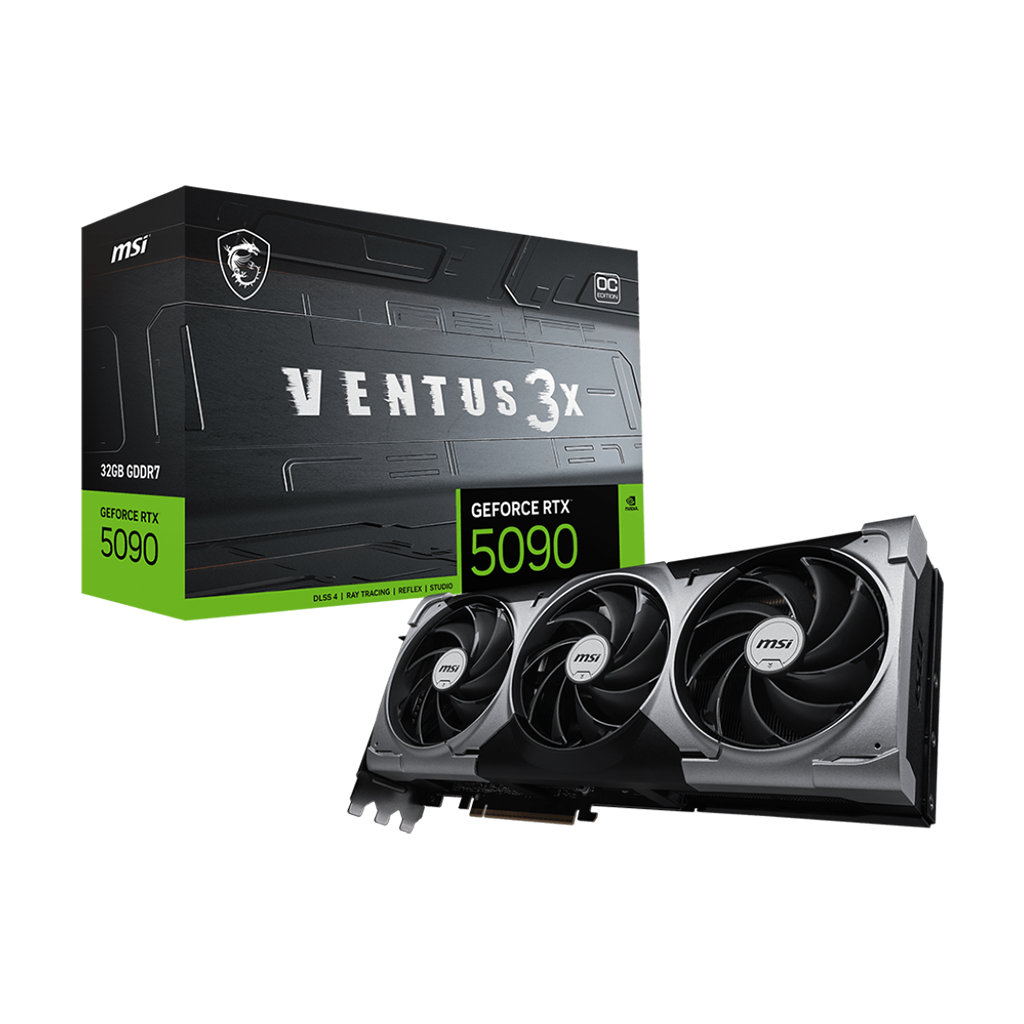
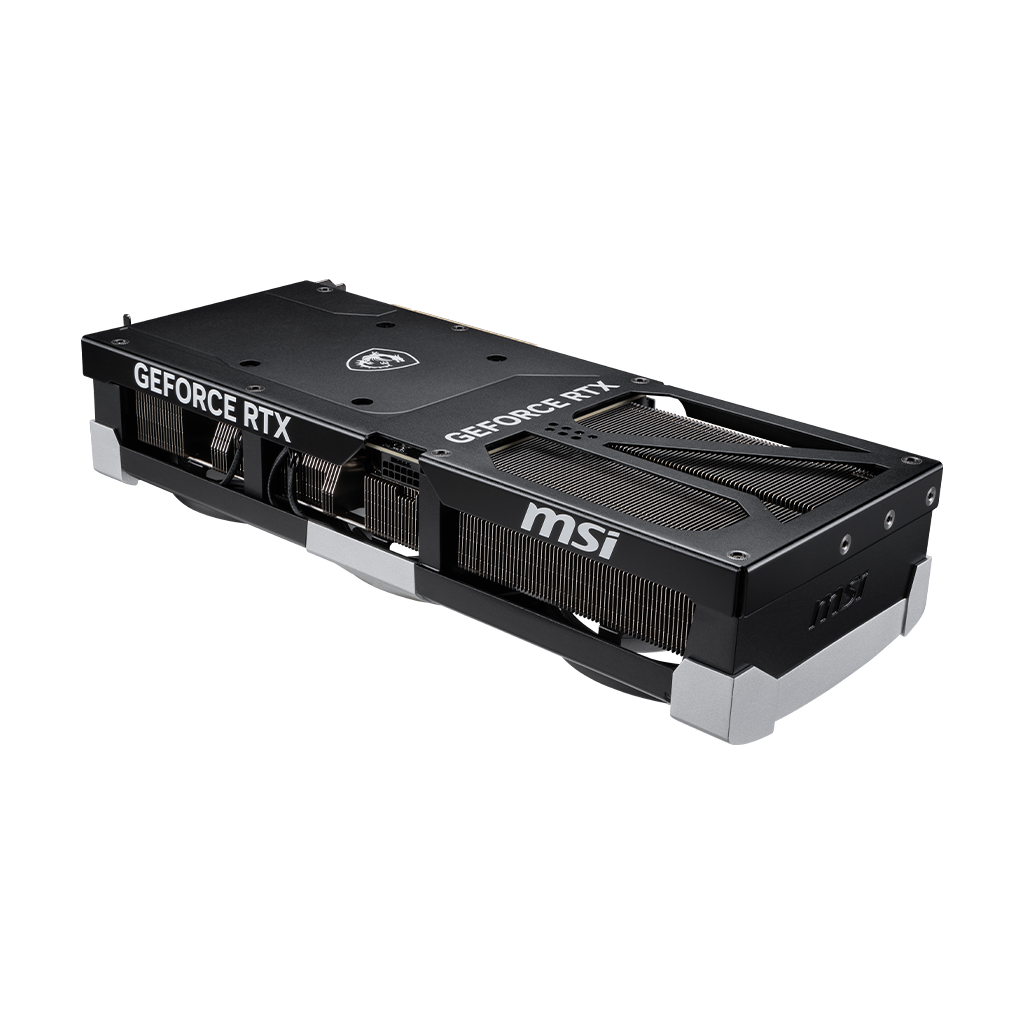
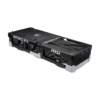
MSI GeForce RTX 5090 32G VENTUS 3X OC

$1,600.00
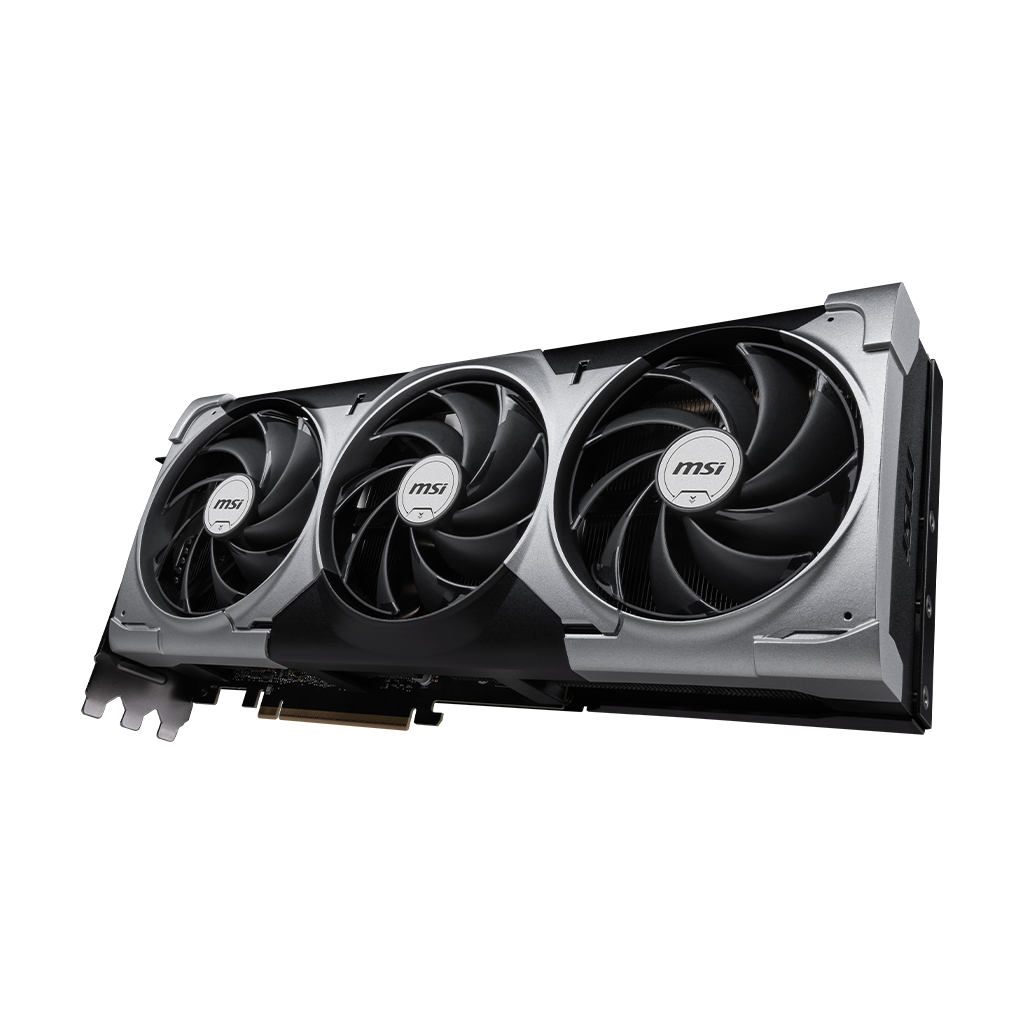
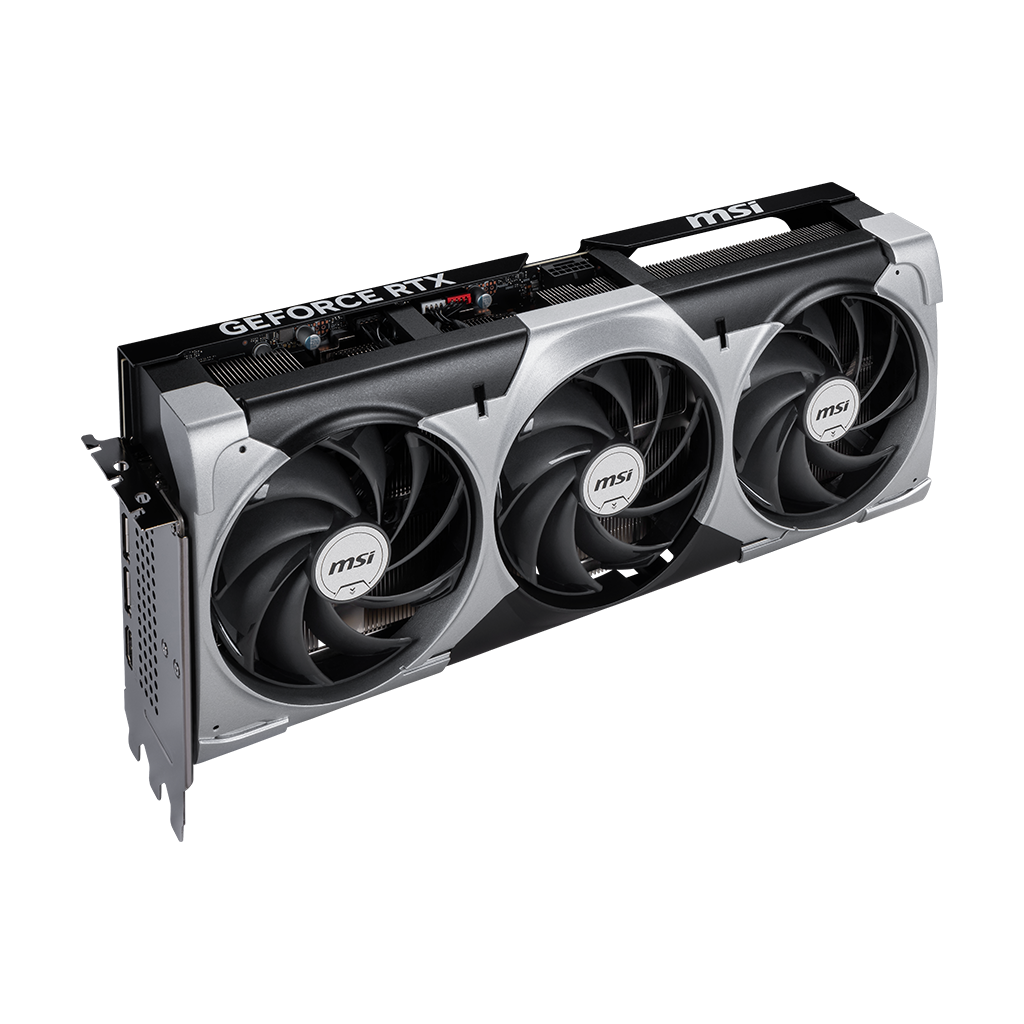
MSI GeForce RTX 5090 32G VENTUS 3X OC focuses on the essentials to tackle any challenge. Its efficient thermal solution is encased in a resilient enclosure with a neutral aesthetic, allowing this sleek graphics card to integrate seamlessly into any build.
- Extreme Performance: 2452 MHz (MSI Center)
- Boost: 2437 MHz (GAMING & SILENT Mode)
- Memory Speed 28 Gbps
- 32GB GDDR7
- DisplayPort x 3 (v2.1b)
- HDMI™ x 1 (As specified in HDMI™ 2.1b: up to 4K 480Hz or 8K 120Hz with DSC, Gaming VRR, HDR)
- Powered by the NVIDIA Blackwell architecture and DLSS 4
- TORX Fan 5.0: Linked blades ensure stable, high-pressure airflow
- Nickel-plated baseplate efficiently captures and transfers heat from GPU and memory
- Core Pipes’ square design maximizes contact with the GPU baseplate for better cooling
- Metal backplate boosts cooling with vents and thermal pads
- MSI Center lets you monitor, tweak, and optimize MSI products in real-time
- Afterburner: The leading software for complete graphics card overclocking control
Buy MSI GeForce RTX 5090 32G VENTUS 3X OC – Extreme Gaming & AI GPU
Buy MSI GeForce RTX 5090 32G VENTUS 3X OC and elevate your gaming, VR, and AI workloads to unprecedented levels. This factory-overclocked powerhouse is not just another RTX 5090 — it represents the pinnacle of NVIDIA Blackwell architecture combined with MSI’s engineering precision. Designed for gamers, creators, and AI professionals who demand absolute performance without compromise, the VENTUS 3X OC delivers 32GB of ultra-fast GDDR7 memory, 21,760 CUDA cores, and extreme clock speeds that redefine what a graphics card can achieve.
Unmatched Performance for Every Application
At the heart of the VENTUS 3X OC lies NVIDIA’s Blackwell GPU architecture, optimized for ray tracing, AI-accelerated rendering, and multi-frame generation with DLSS 4. The card’s extreme performance mode reaches 2452 MHz, while gaming and silent modes maintain 2437 MHz, ensuring consistent FPS and smooth visuals across AAA games, VR experiences, and professional rendering applications. With a 512-bit memory interface and 28 Gbps memory clock, data throughput is instantaneous — critical for high-resolution textures, real-time ray tracing, and AI compute tasks.
Whether you’re building an 8K VR setup, training deep learning models, or pushing modern titles at max settings, the VENTUS 3X OC ensures zero compromises. Unlike standard RTX 5090 variants, MSI’s factory tuning and advanced cooling guarantee thermal stability even under extreme workloads, allowing users to unlock every ounce of GPU potential.
Precision Engineering & Reliability You Can Trust
MSI’s triple-fan TORX 5.0 design, nickel-plated copper baseplate, and reinforced core pipes deliver superior heat transfer and airflow. The Zero Frozr technology stops fans entirely at low temperatures, providing silent operation when idle while automatically ramping up under heavy loads. Additional safeguards such as PCB fuses and a metal backplate protect your investment from electrical damage and enhance overall durability.
The card’s PCIe Gen 5 interface ensures full bandwidth utilization, while the 16-pin ATX 3.1 power connector enables peak power delivery for demanding workloads. Users pairing this card with a 1000W or higher PSU can maximize performance with complete stability, making it the ideal choice for high-end gaming rigs, VR systems, and AI workstations.
Why This GPU Dominates the Competition
MSI’s VENTUS 3X OC isn’t just about raw numbers — it’s engineered to solve real-world performance bottlenecks:
- Ultra-fast memory: 32GB GDDR7 ensures massive datasets and textures load instantly.
- AI-optimized rendering: Fifth-generation Tensor cores accelerate deep learning and image generation.
- VR & multi-monitor readiness: Supports up to 4 displays at 8K 4320p, with HDR and Gaming VRR.
- Future-proof architecture: PCIe Gen 5 and NVIDIA DLSS 4 support the next generation of games and AI software.
Every feature has a purpose, every specification has context, and every design choice has one goal: absolute, uncompromising performance.
MSI GeForce RTX 5090 32G VENTUS 3X OC Specifications & Technical Features – Maximum Performance Unleashed
The MSI GeForce RTX 5090 32G VENTUS 3X OC is a masterclass in GPU engineering, blending NVIDIA’s Blackwell architecture with MSI’s uncompromising design philosophy. Every component, clock speed, and cooling solution has been meticulously crafted to deliver unparalleled gaming, VR, and AI performance. Below is a full breakdown of what makes this GPU the ultimate choice for experts, creators, and competitive gamers.
GPU Architecture & Core Performance
- GPU Model: NVIDIA® GeForce RTX™ 5090
- Architecture: NVIDIA Blackwell — the latest in AI-optimized, ray tracing-ready GPU design
- CUDA Cores: 21,760 for massive parallel processing and extreme compute workloads
- Tensor Cores: Fifth-generation, enabling advanced AI, DLSS 4, and neural rendering
- RT Cores: Fourth-generation for full ray-traced lighting, reflections, and shadows
With this GPU, complex 3D renders, VR simulations, and AI-driven image generation happen at speeds previously thought impossible.
Clock Speeds & Memory Performance
- Extreme Performance Mode: 2452 MHz
- Gaming & Silent Mode Boost: 2437 MHz
- Memory Size: 32GB GDDR7 — future-proofed for ultra-high-resolution textures and massive datasets
- Memory Clock: 28 Gbps for instantaneous data throughput
- Memory Interface: 512-bit, delivering exceptional bandwidth for multi-monitor and VR workloads
These specifications ensure that even the most demanding titles and AI workloads run at maximum efficiency without bottlenecks.
Interface & Connectivity
- PCIe Interface: PCI Express® Gen 5 — cutting-edge bandwidth and compatibility for future motherboards
- HDMI Port: HDMI™ 2.1b x1, supporting up to 4K 480Hz or 8K 120Hz with DSC, Gaming VRR, HDR
- DisplayPort: DisplayPort v2.1b x3 — supports multi-monitor setups and ultra-high refresh rates
- USB-C: Not included (reduces clutter for professional setups)
- Multi-Display Support: Up to 4 simultaneous displays for immersive VR and multi-monitor productivity
Whether for professional creative studios, AI research, or gaming marathons, the connectivity options are robust and future-ready.
Power & Cooling Technology
- Power Headers: 16-pin x1 (ATX 3.1 PSU recommended)
- Minimum PSU: 1000 W — designed for peak stability under extreme workloads
- Thermal Design: Triple-fan TORX 5.0 design, nickel-plated copper baseplate, reinforced core pipes
- Zero Frozr Technology: Fans stop when idle for silent operation; automatically ramps during high-load sessions
- Metal Backplate: Provides structural rigidity and additional heat dissipation
- Double Ball Bearings: Guarantees years of reliable operation under heavy use
This cooling and power system ensures maximum performance while maintaining safe operating temperatures, even during sustained high-load scenarios.
Advanced NVIDIA Features
- DirectX 12 Ultimate: Full support for next-gen games and rendering engines
- OpenGL 4.6: High compatibility for professional 3D applications
- VR Ready: Smooth VR experiences with no stutter or latency
- DLSS 4 Multi-Frame Generation & Super Resolution: Increases FPS while maintaining stunning visual fidelity
These features allow gamers and professionals to push the boundaries of realism and AI-assisted workflows.
Dimensions, Weight, & Installation
- Card Dimensions: 12.80″ x 5.47″ x 2.64″ — triple-slot design for optimal airflow
- Weight: 4.13 lbs — substantial build reflecting premium materials
- Installation Tip: Ensure your case has sufficient clearance and airflow for peak performance
Why This GPU Leaves Competitors Behind
The MSI GeForce RTX 5090 32G VENTUS 3X OC doesn’t just meet specifications — it solves real-world performance problems that top-tier gamers and creators encounter:
- Handles ultra-high resolution 8K gaming and VR with no FPS drops
- Executes AI rendering tasks faster than any non-OC RTX 5090
- Maintains thermal stability and long-term reliability, unmatched in its class
- Future-proofed for upcoming PCIe Gen 5 workloads and DLSS 4 enhancements
This isn’t just a graphics card — it’s an investment in uncompromising performance, productivity, and immersive experiences.
Who Is the MSI GeForce RTX 5090 32G VENTUS 3X OC For? – Gamers, Creators & AI Professionals
The MSI GeForce RTX 5090 32G VENTUS 3X OC is engineered for those who demand no compromises in performance, visual fidelity, or computational power. It’s not just a graphics card — it’s a cornerstone of next-level gaming rigs, creative workstations, and AI research systems. Below, we break down exactly who benefits most from this powerhouse and why.
Hardcore Gamers: 8K, VR & Ray-Tracing Enthusiasts
Gamers who seek the highest FPS, ultra-realistic graphics, and seamless VR experiences find the VENTUS 3X OC unmatched:
- 8K & Ultra Settings Gaming: With 21,760 CUDA cores and 32GB GDDR7 memory, even the most demanding AAA titles run at ultra settings without bottlenecks.
- Ray Tracing Mastery: Fourth-gen RT cores bring cinematic lighting, shadows, and reflections, creating immersion beyond traditional GPUs.
- VR & Multi-Monitor Gaming: Supports 4 displays simultaneously with zero latency, perfect for VR, flight simulators, and esports setups.
Gamers upgrading to the VENTUS 3X OC are investing in years of future-proofed performance, rather than temporary FPS gains.
Content Creators: Video Editing, 3D Modeling & Rendering
Professional creators rely on stable, high-speed GPU performance for rendering and media workflows:
- AI-Accelerated Rendering: Fifth-gen Tensor cores accelerate neural rendering, video upscaling, and AI denoising, reducing production time drastically.
- Ultra-High-Resolution Workflows: Handles 8K video editing, 3D modeling, and VR content creation without dropping frames or crashing software.
- Software Optimization: Fully compatible with Adobe Creative Suite, DaVinci Resolve, Blender, and NVIDIA Studio, ensuring maximum utilization of GPU cores and memory bandwidth.
Creators using the VENTUS 3X OC spend less time waiting and more time producing, making it a measurable productivity upgrade.
AI Developers & Deep Learning Professionals
For AI researchers, GPU compute power is everything, and the VENTUS 3X OC delivers:
- Massive CUDA & Tensor Core Count: 21,760 cores and fifth-gen Tensor cores enable faster model training and inference.
- Large VRAM Capacity: 32GB GDDR7 allows large neural networks to run locally without memory bottlenecks.
- Future-Proof Framework Support: Optimized for TensorFlow, PyTorch, and NVIDIA CUDA libraries, ensuring smooth operation across AI pipelines.
This GPU transforms a workstation into a high-performance AI lab, capable of tackling large-scale experiments previously reserved for server clusters.
Multi-Monitor & Immersive Setup Users
Enthusiasts building cinematic or productivity rigs benefit from:
- Multi-Display Support: Up to 4 screens, each at 7680 x 4320 maximum resolution, perfect for immersive gaming or expansive productivity setups.
- High Refresh Rate & HDR: Compatible with 8K 120Hz or 4K 480Hz displays via HDMI 2.1b and DisplayPort 2.1b.
- VRR & Zero Frozr Noise Management: Ensures smooth, tear-free visuals without distracting fan noise, even during long sessions.
For professionals and enthusiasts alike, this card unlocks setups that are future-ready and visually unparalleled.
Why Each Buyer Persona Chooses the VENTUS 3X OC
| Persona | Primary Needs | How VENTUS 3X OC Solves It |
|---|---|---|
| Hardcore Gamers | FPS, 8K, VR, Ray Tracing | Extreme clock speeds, massive CUDA cores, DLSS 4 |
| Content Creators | 3D, Video Editing, AI Rendering | Tensor cores, high VRAM, NVIDIA Studio optimization |
| AI Professionals | Neural Networks, Large Datasets | 32GB GDDR7, PCIe Gen 5 bandwidth, tensor acceleration |
| Multi-Monitor Users | Multi-display, immersive setups | 4 display support, HDR, VRR, low-noise cooling |
By addressing specific pain points, this GPU becomes not just a purchase, but a solution tailored to each user.
Installation & System Requirements for MSI GeForce RTX 5090 32G VENTUS 3X OC – Build It Right, Unlock Full Power
The MSI GeForce RTX 5090 32G VENTUS 3X OC is not a plug-and-play toy — it’s a 575W-class high-performance GPU that demands a properly configured system to operate at its full potential.
Getting this wrong leads to power instability, thermal throttling, or underperformance. Getting it right unlocks maximum clock stability, sustained boost performance, and long-term reliability.
This section ensures you deploy it like a pro from day one.
Power Supply Requirements – No Guesswork, Only Stability
This GPU draws up to 575W under load, and transient spikes can go higher. Your PSU choice directly impacts performance stability and hardware safety.
Minimum & Recommended PSU
- Minimum: 1000W (ATX 3.1 compliant)
- Optimal Range: 1000W – 1200W for headroom
- Connector: Native 16-pin PCIe (12V-2×6 / 12VHPWR)
What Serious Builders Should Do
- Use a high-quality PSU (80+ Gold or higher)
- Avoid cheap adapters — prioritize native 16-pin cables
- Ensure stable voltage rails under load, especially for AI or rendering workloads
A weak PSU doesn’t just limit performance — it introduces instability that can crash systems under peak GPU load.
Case Compatibility & Physical Clearance
The VENTUS 3X OC is a large triple-slot GPU, and improper case sizing is one of the most common mistakes buyers make.
Exact Dimensions
- Length: 12.80 inches (325 mm)
- Width: 5.47 inches
- Height: 2.64 inches (triple-slot)
What to Verify Before Installation
- Minimum GPU clearance ≥ 330 mm
- At least 3 expansion slots available
- No obstruction from front radiators or drive cages
High-end GPUs like this require space to breathe — tight builds choke airflow and reduce sustained performance.
Airflow & Thermal Optimization – Sustain 2452 MHz Without Throttling
Even with MSI’s advanced cooling, case airflow determines real-world performance.
Recommended Airflow Setup
- Front intake fans: 2–3 high-airflow fans
- Top exhaust: 2 fans
- Rear exhaust: 1 fan
Why This Matters
- Maintains stable boost clocks under load
- Prevents thermal throttling during long sessions
- Extends GPU lifespan and component reliability
Advanced Tip (Enthusiast-Level)
- Maintain positive air pressure to reduce dust buildup
- Use high static pressure fans if running front radiators
Cooling isn’t optional at this level — it’s the difference between peak performance and wasted potential.
PCIe Slot & Motherboard Compatibility
To extract full bandwidth, installation must be done correctly.
Requirements
- Primary PCIe x16 slot (Gen 5 preferred)
- Backward compatible with PCIe Gen 4, but Gen 5 ensures maximum throughput
Best Practices
- Always install in the top PCIe slot (direct CPU lanes)
- Avoid secondary slots that reduce bandwidth
- Ensure motherboard BIOS is updated for GPU compatibility
Bandwidth bottlenecks are rare — but when they happen, they silently limit performance.
Step-by-Step Installation (Expert Workflow)
- Power Down & Ground Yourself
- Prevent electrostatic discharge (ESD damage)
- Insert GPU into PCIe x16 Slot
- Apply even pressure until fully seated
- Secure the Card
- Use screws + optional GPU support bracket (recommended for weight)
- Connect 16-Pin Power Cable
- Ensure firm, fully seated connection (critical for stability)
- Cable Management Check
- Avoid bending the 16-pin cable excessively
- Boot & Install Drivers
- Install latest NVIDIA drivers + MSI Center
Software Setup & Optimization
Once installed, software determines whether you get baseline performance or full output.
Essential Tools
- NVIDIA GeForce Drivers → Core performance & compatibility
- MSI Center → Performance profiles (Extreme / Gaming / Silent)
- MSI Afterburner → Monitoring, fine-tuning, fan curves
Immediate Optimization Steps
- Enable DLSS 4 Multi Frame Generation in supported games
- Set GPU mode to Extreme Performance for maximum clocks
- Monitor temps and ensure stable operation under load
Hardware gives you the capability — software unlocks it.
Common Mistakes That Kill Performance (Avoid These)
- Using underpowered PSU (<1000W)
- Poor airflow or compact case builds
- Improperly seated 16-pin connector
- Installing GPU in secondary PCIe slot
- Running outdated drivers
Most “GPU issues” are not GPU problems — they’re system configuration mistakes.
What a Fully Optimized Setup Looks Like
When everything is done right, the MSI GeForce RTX 5090 32G VENTUS 3X OC delivers:
- Stable 2452 MHz boost clocks under load
- Consistent 4K/8K performance with DLSS 4 enabled
- Zero crashes or power instability during AI workloads
- Quiet operation at idle with Zero Frozr
This is the difference between owning the GPU and actually using its full capability.
Thermal Design & Cooling Engineering – MSI GeForce RTX 5090 32G VENTUS 3X OC Under Load
The MSI GeForce RTX 5090 32G VENTUS 3X OC operates in a performance class where thermal management is directly tied to sustained clock speeds, system stability, and hardware longevity. At 575W power draw, this GPU doesn’t just need cooling — it requires precision-engineered heat dissipation across multiple layers.
MSI’s VENTUS 3X OC solution is built to capture, transfer, and dissipate heat efficiently under continuous load, ensuring the GPU maintains boost clocks without thermal throttling.
Triple-Fan TORX 5.0 – Airflow Pressure, Not Just Volume
At the front line of cooling is MSI’s TORX FAN 5.0 system, engineered to increase both airflow and static pressure — two factors that directly affect how efficiently heat is removed from dense heatsinks.
What Makes TORX 5.0 Different
- Linked blade design: Three sets of angled blades are connected to stabilize airflow
- 22-degree tilt optimization: Directs air deeper into the heatsink instead of dispersing it
- ~23% increased airflow vs traditional axial fans
Real-World Impact
- Faster heat removal from GPU core and VRAM
- Improved cooling under sustained gaming, rendering, and AI workloads
- Reduced hotspot formation, which is critical for clock stability
At this level, airflow efficiency matters more than raw fan speed — TORX 5.0 is built for directed cooling under load, not just noise reduction.
Nickel-Plated Copper Baseplate – Immediate Heat Capture
The moment heat is generated, the system must capture it before it spreads unevenly.
Why Copper + Nickel Matters
- Copper core: High thermal conductivity → rapid heat absorption
- Nickel plating: Prevents oxidation and maintains long-term efficiency
Function in the Thermal Chain
- Direct contact with GPU die and memory modules
- Acts as the primary heat intake layer before distribution
This ensures heat doesn’t linger at the source — it’s instantly transferred into the cooling pipeline.
Core Pipes – Heat Distribution Without Bottlenecks
Once heat is captured, it must be spread evenly across the heatsink.
Engineering Design
- Square-shaped contact surface for maximum contact with baseplate
- Optimized internal structure for rapid heat transfer
Why This Matters
- Eliminates thermal concentration points
- Ensures the entire heatsink is utilized efficiently
- Maintains uniform cooling across GPU and VRAM
Without efficient distribution, even the best fans can’t prevent throttling — this is where most lower-tier GPUs fail.
Heatsink Mass & Fin Density – Sustained Load Performance
The VENTUS 3X OC uses a large, high-density heatsink designed for continuous high-power operation.
Key Characteristics
- High surface area for maximum heat dissipation
- Optimized fin spacing for airflow penetration
- Balanced design to avoid airflow resistance
Real-World Effect
- Maintains lower average GPU temperatures
- Enables longer sustained boost clocks under load
- Reduces reliance on aggressive fan speeds
This is what allows the GPU to hold performance during long gaming sessions or AI training cycles.
Zero Frozr – Intelligent Noise & Thermal Balance
Cooling isn’t always about maximum airflow — it’s about efficiency across workloads.
How It Works
- Fans completely stop at low temperatures
- Automatically resume under load
Why It Matters
- Silent operation during idle or light workloads
- Reduced wear on fan bearings
- Seamless transition to active cooling when needed
This is efficiency at a system level — cooling only when required, without sacrificing readiness.
Metal Backplate & Airflow Vents – Structural + Thermal Synergy
The backplate isn’t just for rigidity — it plays a role in passive cooling.
Design Features
- Reinforced metal structure prevents PCB flex
- Integrated airflow vents allow heat exhaust through the card
Performance Benefit
- Reduces heat buildup behind the PCB
- Improves overall airflow path through the GPU
It’s a subtle feature, but critical for long-term thermal consistency.
Double Ball Bearings – Cooling That Lasts
At this performance tier, fan durability is non-negotiable.
Advantages
- Longer lifespan vs sleeve bearings
- Maintains consistent performance under continuous use
- Handles high RPM without degradation
This ensures the cooling system remains reliable even after years of heavy workloads.
Thermal Performance Under Real Workloads
When all components work together, the result is:
- Stable boost clocks near 2452 MHz under sustained load
- Minimal thermal throttling in 4K/8K gaming and VR
- Consistent performance during AI model training and rendering
- Balanced noise levels even under high GPU utilization
This is where engineering meets reality — not just cooling the GPU, but preserving its full performance envelope.
Why MSI’s Cooling Design Matters More Than Specs Alone
Most GPUs can reach high clock speeds briefly.
Very few can hold them under load.
The MSI GeForce RTX 5090 32G VENTUS 3X OC is engineered to:
- Sustain performance, not just peak it
- Prevent thermal degradation over time
- Deliver consistent output across gaming, AI, and creative workloads
In real-world use, thermal engineering is performance — and this is where the VENTUS 3X OC separates itself.
Performance Benchmarks, Real-World Output & Competitive Positioning – MSI GeForce RTX 5090 32G VENTUS 3X OC
The MSI GeForce RTX 5090 32G VENTUS 3X OC is engineered to deliver sustained, real-world performance at the highest tier of GPU capability. With 21,760 CUDA cores, 32GB GDDR7, and boost clocks up to 2452 MHz, this GPU doesn’t just perform well in controlled benchmarks — it maintains dominance under extended gaming, rendering, and AI workloads.
This section breaks down exactly what you get in real usage, where it matters most.
4K & 8K Gaming Performance – Maximum Settings Without Compromise
At ultra resolutions, GPU limitations are exposed immediately. The VENTUS 3X OC is built to eliminate those limits.
Expected Performance Profile
- 4K Ultra (Ray Tracing Enabled): Smooth, high FPS with DLSS 4 active
- 8K Gaming: Playable and stable with DLSS Multi Frame Generation
- High Refresh Rate Gaming: Fully capable of 4K 144Hz+ and beyond depending on title optimization
What This Means in Practice
- No need to reduce settings in modern AAA titles
- Stable frame pacing — no micro-stutters under load
- Consistent performance across long gaming sessions
This is not just about peak FPS — it’s about maintaining fluid gameplay under sustained GPU load.
DLSS 4 & AI Frame Generation – Performance Multiplier
NVIDIA DLSS 4 transforms how performance scales at high resolutions.
Key Advantages
- Multi Frame Generation: Produces additional frames using AI
- Super Resolution: Upscales lower resolution images without visible quality loss
- Ray Reconstruction: Improves ray tracing quality while reducing performance cost
Real-World Impact
- Significant FPS increases in demanding titles
- Lower GPU strain while maintaining visual fidelity
- Enables 8K and ultra-ray-traced environments to run smoothly
DLSS 4 isn’t a feature — it’s a performance amplifier that redefines what this GPU can achieve.
Content Creation & Rendering – Time is Performance
For creators, performance is measured in time saved per task.
Workload Capabilities
- 8K Video Editing: Smooth playback and timeline scrubbing
- 3D Rendering: Faster scene processing in Blender, Unreal Engine
- AI-Assisted Editing: Real-time denoising, upscaling, and effects
What Improves Immediately
- Reduced render times
- Faster export speeds
- Real-time previews without lag
The VENTUS 3X OC turns heavy creative workloads into efficient, uninterrupted workflows.
AI & Deep Learning Performance – Workstation-Class Compute
This GPU operates far beyond gaming — it functions as a high-performance AI compute unit.
Capabilities
- Training medium-to-large neural networks locally
- Running inference workloads at high speed
- Handling large datasets without VRAM overflow
Performance Advantages
- Reduced training time cycles
- Improved parallel computation efficiency
- Stable performance during continuous workloads
For AI developers, this GPU replaces hours of waiting with faster iteration and real productivity gains.
Sustained Performance vs Peak Performance
Most GPUs can hit high clock speeds briefly.
Very few maintain them under load.
VENTUS 3X OC Advantage
- Maintains high boost clocks (up to 2452 MHz) consistently
- Minimal thermal throttling due to advanced cooling
- Stable power delivery under heavy load
Why This Matters
- Gaming sessions stay smooth over time
- Long renders don’t slow down midway
- AI workloads remain consistent and reliable
Real performance is not what a GPU can reach — it’s what it can sustain.
Competitive Positioning – Why VENTUS 3X OC Stands Out
When compared to other RTX 5090 variants, the VENTUS 3X OC delivers a balance of performance, cooling efficiency, and reliability.
Where It Excels
- Factory overclocking → higher out-of-box performance
- Advanced cooling → sustained boost clocks
- Reinforced build → long-term durability
Compared to Standard RTX 5090 Models
- Better thermal stability
- More consistent performance under load
- Reduced likelihood of throttling
It’s not just about being an RTX 5090 — it’s about being a fully optimized RTX 5090.
What You Actually Experience as a User
When fully configured, the MSI GeForce RTX 5090 32G VENTUS 3X OC delivers:
- Ultra-smooth 4K/8K gameplay with ray tracing enabled
- Faster rendering and content production workflows
- Reliable AI performance without crashes or slowdowns
- Quiet operation during idle, controlled noise under load
This is the difference between owning high-end hardware and actually experiencing high-end performance.
Performance Summary – No Bottlenecks, No Compromises
- Gaming: Maximum settings, high FPS, stable performance
- Creation: Faster rendering, smoother workflows
- AI: High compute power, efficient model training
- Thermals: Sustained performance without throttling
The MSI GeForce RTX 5090 32G VENTUS 3X OC doesn’t just meet expectations — it removes the limitations that define lower-tier GPUs.
Can my current PSU and setup reliably handle the RTX 5090 VENTUS 3X OC under full load?
Answer:
If your system isn’t built for high-end GPUs, this is where problems start — not with the GPU itself, but with power delivery and system balance.
The MSI GeForce RTX 5090 32G VENTUS 3X OC operates at up to 575W, with transient spikes that demand clean, stable power. In real-world usage (gaming + CPU load + peripherals), your system can easily push beyond 750–850W total draw.
What a “safe and stable” setup actually looks like:
- Minimum PSU: 1000W (ATX 3.1 compliant)
- Recommended: 1000W–1200W (for headroom and long-term stability)
- Connector: Native 16-pin (12V-2×6) — no adapters if possible
Where most users go wrong:
- Running a “technically enough” PSU → leads to random shutdowns under load
- Using split cables or adapters → causes power instability or overheating connectors
- Ignoring CPU + GPU combined load → results in underestimated wattage needs
👉 If your system already meets these conditions, you’re in the clear.
👉 If not, upgrading your PSU isn’t optional — it’s the foundation for unlocking this GPU’s full performance safely.
Will I actually see a noticeable performance difference upgrading to the VENTUS 3X OC from my current high-end GPU?
Answer:
Yes — but only if you’re pushing workloads that actually demand this level of hardware.
This isn’t a marginal upgrade — it’s a tier jump, especially if you’re coming from GPUs like RTX 30-series or even most RTX 40-series cards.
Where the difference becomes obvious immediately:
- 4K Ultra + Ray Tracing: Higher and more stable FPS
- DLSS 4 workloads: Massive gains from AI frame generation
- 8K or VR environments: Previously borderline → now fully playable
- Heavy modded games or large textures: No VRAM bottlenecks
Where creators and AI users feel it even more:
- Faster render times (minutes saved per project)
- Smoother timeline playback in 8K editing
- Ability to run larger models locally without memory crashes
Where you might NOT feel a huge jump:
- 1080p or 1440p gaming without ray tracing
- Light workloads that don’t utilize GPU fully
👉 This GPU doesn’t just increase performance — it removes limitations.
If your current setup already struggles at high resolutions or heavy workloads, the difference will feel immediate and substantial.
How does the VENTUS 3X OC perform during long gaming or rendering sessions without overheating or throttling?
Answer:
This is where the VENTUS 3X OC separates itself from average implementations of the same GPU.
Short bursts of performance are easy.
Sustained performance under load is where engineering matters.
What happens during extended workloads:
- The triple-fan TORX 5.0 system maintains consistent airflow
- Heat is rapidly transferred via copper baseplate + core pipes
- The GPU maintains stable boost clocks close to 2452 MHz
Real-world outcome:
- No sudden FPS drops after 30–60 minutes of gameplay
- No performance dips halfway through long renders
- Stable operation during continuous AI workloads
Why this matters more than peak benchmarks:
Most GPUs look good in short tests — but:
- Poor cooling = gradual clock drops
- Heat buildup = reduced performance over time
👉 The VENTUS 3X OC is built to hold performance, not just reach it.
Is the cooling system on the VENTUS 3X OC sufficient for sustained 575W workloads in real-world conditions?
Answer:
Yes — but only when understood correctly: the GPU’s cooling system is engineered to handle 575W, not to compensate for a poorly configured case.
The VENTUS 3X OC cooling stack (TORX 5.0 fans + copper baseplate + core pipes + full heatsink coverage) is designed for continuous thermal load, not short bursts.
What happens under real sustained load (gaming, rendering, AI):
- Heat is captured instantly at the die level
- Distributed evenly across the heatsink (no hotspot buildup)
- Actively dissipated with high-pressure airflow, not just fan speed
What this results in:
- Stable temperatures under extended sessions
- No aggressive fan ramp spikes
- Consistent clock behavior without thermal drop-offs
The truth most pages won’t tell you:
Even the best GPU cooling fails in bad airflow environments.
👉 With proper case airflow (front intake + exhaust), this cooling system is more than sufficient.
👉 Without it, you’re limiting a premium GPU with a basic mistake.
This GPU doesn’t struggle with heat — it expects the rest of your system to match its level.
What kind of real-world FPS or workflow improvements should I expect in 4K, 8K, or AI tasks?
Answer:
You’re not buying theoretical performance — you’re buying time saved, frames gained, and limits removed.
Gaming (4K / 8K reality):
- 4K Ultra + Ray Tracing: Smooth, consistent high FPS with DLSS 4
- 8K Gaming: Becomes realistically playable instead of experimental
- Frame pacing: Noticeably smoother — fewer dips, fewer spikes
What actually changes for you:
- You stop tweaking settings just to maintain FPS
- You run games the way they’re meant to be experienced
- You gain consistency, not just higher averages
Content Creation (real workflow impact):
- Faster render completion times
- Smooth timeline scrubbing in 8K projects
- Real-time preview without dropped frames
👉 That’s hours saved over weeks — not just seconds per task.
AI / Compute workloads:
- Larger models run without memory crashes
- Faster iteration cycles → more productivity
- Stable long-duration compute without slowdown
👉 The real upgrade is this:
You stop working around limitations — and start working at full capability.
Will this GPU fit properly in my case and maintain optimal airflow without modifying my build?
Answer:
This is one of the most underestimated deal-breakers — and one of the easiest to get right before you buy.
The VENTUS 3X OC is a large, triple-slot GPU (≈325mm length). It’s not oversized for its class — but it demands proper space planning.
It will fit easily if your system is:
- Mid-tower or full-tower case
- Designed for high-end GPUs
- Not restricted by front radiators or drive cages
Where users run into problems:
- Compact or older cases with limited clearance
- Poor cable management blocking airflow
- Installing high-end GPUs into airflow-restricted builds
Airflow reality check:
Even if it fits, airflow determines performance:
- Tight spacing = heat buildup
- Poor intake = reduced cooling efficiency
Best-case scenario setup:
- At least 330mm clearance
- Clear front intake path
- No obstruction near GPU fans
👉 If your case supports modern high-end GPUs, you’re fine.
👉 If it barely fits, you’re compromising airflow — and therefore performance.
Is the VENTUS 3X OC stable enough for continuous AI training or heavy rendering workloads?
Answer:
Yes — and this is exactly where the VENTUS 3X OC earns its place beyond gaming GPUs.
Sustained workloads like AI training or long render cycles don’t just test raw performance — they expose power delivery consistency, thermal stability, and memory reliability.
What happens during continuous workloads:
- The GPU maintains consistent voltage delivery under load
- Cooling system prevents thermal spikes that cause clock drops
- 32GB GDDR7 ensures no memory overflow or bottlenecks
Why this matters in real use:
- No mid-task crashes during long renders
- No slowdown after hours of computation
- Predictable, repeatable performance across sessions
Where weaker GPUs fail:
- Gradual performance degradation over time
- VRAM limitations causing task failures
- Instability under combined CPU + GPU load
👉 The VENTUS 3X OC is not just capable of peak output — it’s built for consistency under pressure, which is what AI and professional workloads actually demand.
How does this specific MSI VENTUS 3X OC model compare in stability and thermals to other RTX 5090 variants?
Answer:
At the RTX 5090 level, raw GPU capability is similar across brands.
What separates them is how well they sustain that performance.
Where the VENTUS 3X OC stands out:
1. Cooling Efficiency
- Triple TORX 5.0 fans → better airflow pressure
- Efficient heat transfer system → reduced hotspot formation
- More stable temps under extended load
2. Factory Overclock Stability
- Pre-tuned for higher clocks without sacrificing stability
- No need for aggressive manual tuning to unlock performance
3. Build Reliability
- Reinforced PCB with protective fuses
- Durable fan bearings for long-term use
Compared to lower-tier or basic variants:
- Less thermal fluctuation
- More consistent boost clocks
- Lower risk of throttling under load
Reality check (expert-level):
Some premium variants may push slightly higher peak clocks —
but often at the cost of:
- Increased heat
- Higher noise
- Reduced efficiency under sustained load
👉 The VENTUS 3X OC hits the optimal balance:
High performance + thermal stability + long-term reliability
Not just fast — dependably fast.
Is this GPU future-proof enough to justify the investment for the next generation of games and AI software?
Answer:
Yes — and more importantly, it’s built to remain relevant longer than most GPUs released today.
Future-proofing isn’t about guessing the future — it’s about owning enough headroom to handle it.
Where this GPU is already ahead:
1. Memory Capacity (32GB GDDR7)
- Handles next-gen textures, larger datasets, and AI models
- Eliminates one of the most common upgrade limitations
2. PCIe Gen 5 Support
- Full bandwidth for upcoming hardware and workloads
- No immediate bottleneck from system architecture
3. AI-Driven Performance (DLSS 4 + Tensor Cores)
- Performance scales with software improvements
- Future games become more optimized for this architecture
What this means long-term:
- You won’t need to upgrade just to keep up
- You’ll maintain high settings in future titles
- Your system remains capable for evolving AI workloads
The real definition of future-proof here:
Not “it will never age” —
but it will stay powerful long after most GPUs fall behind.
👉 This isn’t a short-term upgrade.
It’s a multi-year performance investment.
Be the first to review “MSI GeForce RTX 5090 32G VENTUS 3X OC”
Related products
Uncategorized

Reviews
There are no reviews yet.